How AI Helps Repurpose Video Content for Maximum Brand Exposure in 2026

The 2026 algorithm demands volume. You need to be on TikTok, LinkedIn, YouTube, and your blog daily. But creating unique content for every channel is a recipe for burnout. Instead, smart content creators use video repurposing and content recycling strategies to maximize content value from a single source, enabling them to scale content production without increasing workload.
Smart brands do not create more - they repurpose better. They use AI video editing tools to take one core asset (like a webinar or podcast) and slice it into dozens of pieces through intelligent content recycling. In the past, this required a video editor, a copywriter, and a graphic designer. Today, AI tools act as a content multiplier, doing it all in minutes. For a deeper look at how AI is transforming the entire editing workflow, see our guide to AI video editing trends in 2026.
This guide covers the “Source of Truth” workflow: how to repurpose video content using AI to turn one video upload into a month’s worth of content across every platform your audience uses, maximizing your content value and increasing video reach.
Related Content Creation Resources: For capturing high-quality source content, explore our guide to recording lectures and converting to text, or check our best video conferencing apps for recording webinars. You may also find our AI video watcher tools guide helpful for analyzing existing content.
Why “Source of Truth” Repurposing is the Future of Marketing
The concept is simple: use a single high-quality video as your “Source of Truth” to feed all downstream channels. Instead of creating separate content for each platform, you mine value from one recording and adapt it for different formats and audiences.
The Content Multiplier ROI
This shift moves you from "Video Editing" to "Content Mining" - using AI to dig out the gold from your recordings instead of starting from scratch every time.
According to HubSpot’s marketing research, brands that repurpose content see 60% more engagement than those creating everything from scratch. The efficiency gains compound: one strategic recording session can power your content calendar for weeks, enabling you to scale content production without increasing your team size.
The key insight is that your audience exists across multiple platforms, but they do not all consume content the same way. A LinkedIn executive wants a polished article. A TikTok user wants a 30-second hook. A newsletter subscriber wants key takeaways. This omnichannel video marketing approach maximizes content value by serving all of them from one source, improving your engagement metrics and expanding your digital footprint.
Strategy 1: The Dual-Pipeline Approach: Video to Blog and Video to Shorts
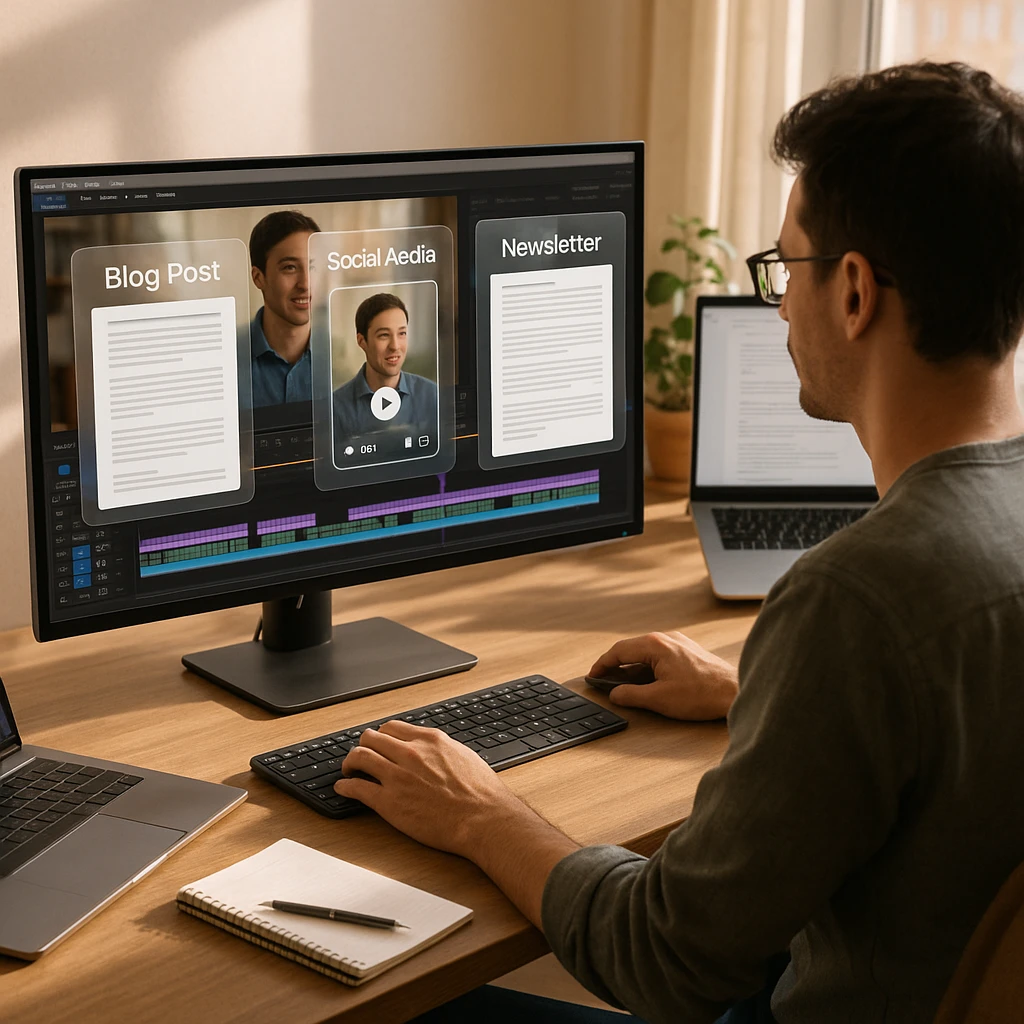
Most repurposing tools only handle one output type. You need an automated video content repurposing workflow that addresses both SEO (text content) and virality (video clips) simultaneously. This dual-pipeline strategy enables you to turn YouTube video into blog post automatically while also creating social media clips from long video content.
Pipeline A: Search (Video to Text)
Turning spoken words into structured, SEO-optimized content for Google discovery. This video to blog conversion process uses instant transcription and AI analysis to create searchable content.
Pipeline B: Social (Clips Generator)
Extracting vertical clips for TikTok, Reels, and Shorts using AI clip maker technology. Transform landscape video to portrait format automatically, making it easy to turn YouTube to TikTok or make TikTok from YouTube content.
The dual-pipeline approach ensures you capture both long-term organic traffic (through searchable text content) and immediate social engagement (through shareable clips). Most creators focus on one or the other - running both simultaneously maximizes your content’s reach and expands your digital footprint across platforms.
This comprehensive content lifecycle approach extends the value of every recording. Instead of a one-time use, your video becomes an asset that generates content across your entire content cadence, improving engagement metrics and building a stronger online presence.
For video to blog conversion specifically, you will want tools that understand context beyond just transcription. Basic transcription produces rambling text that needs heavy editing. AI-powered video to text converters structure the output into readable sections with proper headings, making it easy to turn YouTube video into blog post automatically.
How ScreenApp Acts as Your Content Repurposing Engine
ScreenApp is unique because it captures both the visual context (slides, screens, demonstrations) and the audio. This makes it the only tool that can write an accurate blog post from a technical tutorial - not just transcribe words, but understand what was shown on screen.
Visual OCR for Blogs
Reads the text on your slides to create accurate "How-To" guides, not just word-for-word transcripts. Technical tutorials become structured articles.
Speaker Detection for Clips
Active speaker detection identifies the best quotes and memorable moments. Combined with sentiment analysis for clips, this helps you find the most engaging segments. Turn these into text posts, tweet threads, or scripts for voiceover content.
The "Ask AI" Writer
Go beyond summaries. Ask specific questions like "Write a LinkedIn post based on the section about Q3 Revenue" and get tailored output.
The difference between ScreenApp and basic transcription tools becomes clear when repurposing tutorials or presentations. If your video shows a software interface while you explain features, ScreenApp captures both the spoken explanation AND the text visible on screen. This context makes the resulting blog post accurate and complete.
For content creators who produce educational material, this visual understanding is essential. Our video analyzer feature breaks down content systematically, making repurposing faster and more accurate. The combination of instant transcription, AI highlight detection, and sentiment analysis for clips creates a powerful content multiplier that helps you maximize content value from every recording.
How to Repurpose Video Content Using AI: The “1 Video to 10 Assets” Workflow
Here is the complete workflow to automate video content repurposing. Starting with a single 60-minute webinar or podcast recording, you can generate all of the following assets. This systematic approach to content recycling transforms your video library into a comprehensive content distribution strategy.
Upload Your Source Video
Upload your 60-minute webinar, podcast recording, or tutorial to ScreenApp. The AI processes both the audio and any visual content shown on screen.
The SEO Blog Post
Pipeline A: SearchUse ScreenApp's "Generate Article" feature to turn the transcript into a structured 1,500-word post with proper headings, formatted for SEO.
Social Video Clips
Pipeline B: SocialUse AI highlight detection to identify 3-5 "viral moments" using the transcript highlights. Export these sections as vertical videos with auto-framing (landscape to vertical conversion) for TikTok, Reels, and Shorts. This viral clip finder approach helps you create social media clips from long video content.
LinkedIn Carousel
Pipeline A: SearchConvert webinar to LinkedIn post by asking AI to "Extract the top 5 stats mentioned" and turn them into a numbered list. Format this as carousel slides for LinkedIn engagement, maximizing your content value from a single recording.
Email Newsletter
Pipeline A: SearchConvert video to newsletter format using the "Summary" feature to create a "Key Takeaways" email for your subscriber list. Include timestamps linking back to the full video, extending your content lifecycle and improving engagement metrics.
Twitter/X Thread
Pipeline A: SearchTurn video into Twitter thread by asking AI to "Turn the intro argument into a controversial hook for Twitter" followed by the key points. This short-form content approach drives engagement and profile visits, expanding your digital footprint.
The workflow scales based on your video length. A 30-minute recording might produce 5-7 assets, while a 90-minute deep-dive webinar can generate 15+ pieces of content. The key is having a systematic approach rather than ad-hoc repurposing. This content cadence ensures consistent short-form content output while maintaining quality, helping you build a sustainable content distribution strategy that improves engagement metrics over time.
Best AI Tools for Repurposing Video Content 2026
Different tools excel at different parts of the content repurposing workflow. Here is how the leading options compare for video repurposing and content recycling:
| Tool | Best For | Strength | Text Output |
|---|---|---|---|
| ScreenApp | Knowledge content (webinars, tutorials) | Visual OCR + Audio understanding | ★★★★★ |
| Opus Clip | Viral clips (podcasts, interviews) | AI highlight detection + auto-framing (landscape to vertical) | ★★☆☆☆ |
| Descript | Video editing and polish | Edit video by editing text | ★★★☆☆ |
| Castmagic | Audio podcasts | MP3 to show notes and threads | ★★★★☆ |
| Munch | Trend matching | TikTok trend analysis | ★★☆☆☆ |
Tool Selection Guide
For Knowledge Repurposing
Choose ScreenApp if your content involves tutorials, presentations, or educational material. The visual OCR captures what is shown on screen, not just what is said.
For Viral Clips
Choose Opus Clip if your primary goal is social media clips. It excels at finding engaging moments and formatting them for vertical platforms.
For Podcast Repurposing
Choose Castmagic for audio-only content where you need show notes, timestamps, and tweet threads without video elements.
For Video Cleanup
Choose Descript when you need to remove "umms," edit mistakes, or polish the source video before repurposing elsewhere.
Many creators combine tools: using Descript for cleanup, ScreenApp for text content generation (functioning as a video to article converter), and Opus Clip as an AI clip maker for social clips. This integrated workflow enables you to repurpose video content efficiently across your content distribution strategy, whether you’re creating YouTube to Reels content, turning landscape video to portrait, or making TikTok from YouTube videos. The key is choosing tools that fit your specific repurposing needs and content cadence.
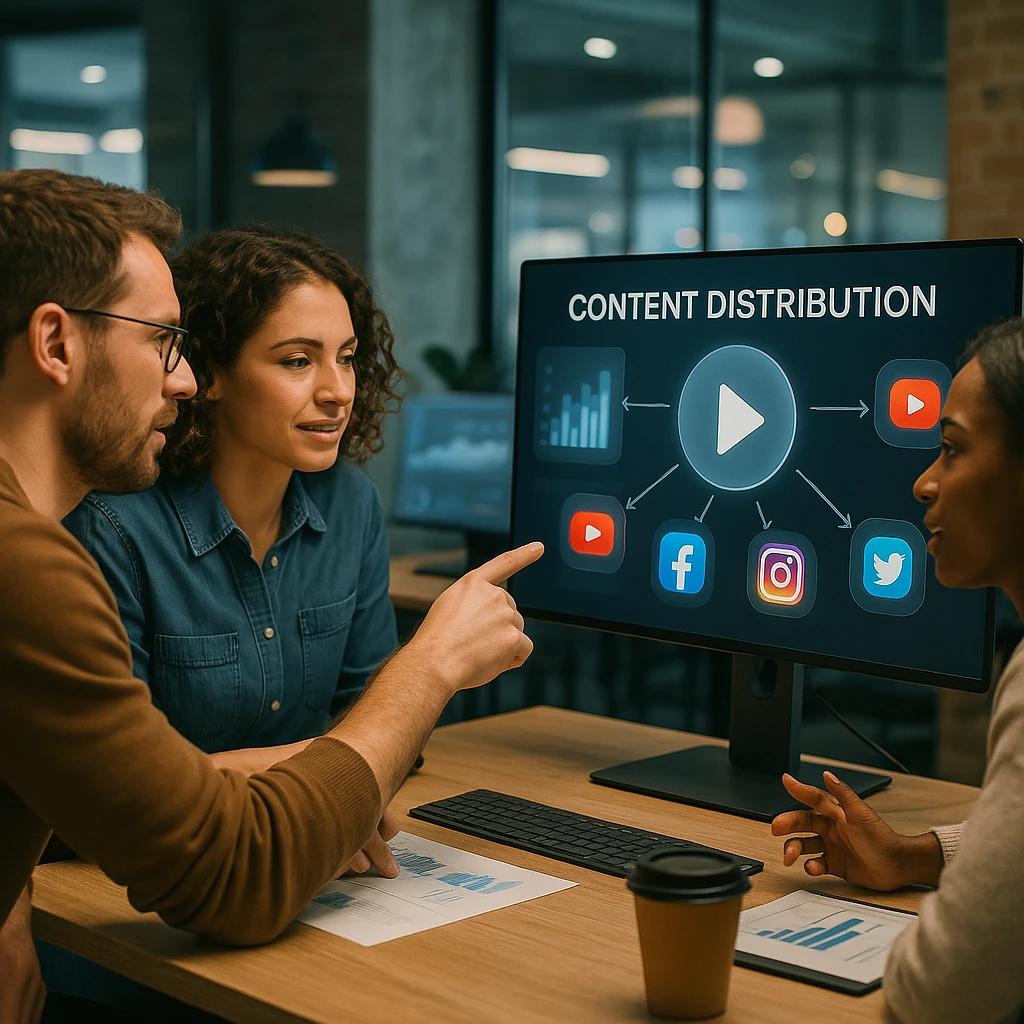
Real-World Examples: Brands Doing It Right
These patterns demonstrate how different businesses apply the repurposing strategy effectively.
Example 1: The SaaS Company
Strategy: Records a weekly "Feature Demo" showcasing new product capabilities.
Source: 15-minute screen recording with narration.
Result:
- Help Center article (via ScreenApp visual OCR - video to blog conversion)
- "Tip of the Week" tweet with GIF (turn video into Twitter thread)
- Email notification to customers (convert video to newsletter)
- YouTube tutorial for searchability
- Short-form content clips for social media (create social media clips from long video)
Example 2: The Thought Leader
Strategy: Records a 30-minute monologue on industry trends using a webcam.
Source: Single-take video, minimal editing.
Result:
- 5 Reels cut from strongest moments (YouTube to Reels, landscape to vertical)
- Substack newsletter from transcript (convert video to newsletter)
- LinkedIn article with key insights (video to blog conversion)
- Twitter thread on the main argument (turn video into Twitter thread)
- Short-form content distributed across platforms (content distribution strategy)
Example 3: The E-commerce Brand
Strategy: Records customer unboxing and product demonstration videos.
Source: User-generated content and in-house product videos.
Result:
- Product description page content
- Instagram Stories with key moments
- FAQ page answers from common questions
- Email sequences for new customers
The pattern is consistent: create once with intention, then systematically extract value for each channel through strategic content recycling. This content distribution strategy follows the GaryVee model of maximizing content value from a single source. According to Hootsuite’s social media research, brands that maintain consistent cross-platform presence see 23% higher engagement rates than single-channel publishers, demonstrating how proper content cadence and asset management can increase video reach.
To track how your repurposed content performs across AI search engines like ChatGPT or Google Overviews, tools like SE Visible can be really helpful. They help monitor visibility for your blog posts and articles generated from video content on all top LLMs.
Webinar Repurposing: For webinar to clips conversion, extract highlights from Zoom call recordings automatically. Repurpose Zoom recording for social media by identifying key moments using AI highlight detection, then export as short-form content for your content distribution strategy. This approach follows the GaryVee model of maximizing content value from a single source.
Video to Article Converter: When you need to turn YouTube video into blog post automatically, use a video to article converter that understands context. These tools go beyond simple transcription to create structured, SEO-friendly articles that maximize content value and extend your content lifecycle.
Content Lifecycle Management: Effective video repurposing extends your content lifecycle significantly. A single recording moves through multiple stages: initial publication, blog post conversion, social media clips, newsletter content, and archived reference material. This systematic asset management approach ensures every piece of content contributes to your digital footprint and engagement metrics.
For more examples of turning recordings into useful content, see our guide on extracting audio from video for podcast repurposing workflows.
FAQ
Will AI-generated blog posts rank on Google?
Yes, if you edit them. ScreenApp provides a structured draft based on unique expert insights (your video), which Google values. The key is that the source content is original - your expertise, your examples, your perspective. Add your human touch to the final polish, ensure proper formatting, and the content will rank because it contains genuine value that only you could provide.
Can AI turn landscape video to portrait automatically?
Yes. Tools like Opus Clip and ScreenApp use active speaker detection and auto-framing technology to turn landscape video to portrait format automatically. The AI tracks the speaker’s position and crops intelligently rather than just center-cropping, which would cut off important visual elements. This feature is essential for creating YouTube to Reels or making TikTok from YouTube content.
How long does it take to repurpose a 1-hour video?
Manually: 4-6 hours including transcription, editing, formatting, and clip creation. With AI tools: 15-20 minutes of active work plus processing time. The AI handles the heavy lifting of transcription, analysis, and initial formatting. Your job becomes review and refinement rather than creation from scratch.
Is it better to post the full video or just clips?
Both serve different purposes. Post the full video on YouTube as your “Source of Truth” where it can rank for search queries and serve as reference content. Use clips on TikTok, Reels, and Shorts to drive awareness and traffic back to the main video. The clips act as trailers that generate interest in the full content.
What video length works best for repurposing?
30-60 minutes provides the ideal balance. Shorter videos may not contain enough material for multiple assets. Longer videos (90+ minutes) work but require more time to identify the best segments. The sweet spot is a focused topic covered thoroughly - enough depth for a blog post but not so rambling that the AI struggles to find coherent sections.
Do I need separate tools for text and video output?
Not necessarily. ScreenApp handles both text generation and clip identification from a single upload. However, if you want highly optimized viral clips with fancy caption styles, specialized tools like Opus Clip may produce better results for social media. Many creators use a primary tool for text content and a secondary tool for clip optimization.
How do I maintain brand voice across AI-generated content?
The source video already contains your brand voice - your words, examples, and style. AI repurposing preserves this because it is working from your original content, not generating from scratch. For text output, do a quick review pass to ensure the AI has not introduced generic phrasing. You can also create a simple style guide and ask the AI to follow specific formatting preferences.
Can I repurpose Zoom recordings and meeting content?
Yes, and this is one of the most valuable use cases. Internal meetings often contain insights that could benefit customers (product updates, FAQ answers, training content). Upload Zoom recordings to extract help documentation, customer-facing announcements, or team training materials. Just ensure any sensitive information is removed before publishing.
What about copyright when repurposing content?
If you created the original video, you own the content and can repurpose freely. If you are repurposing others’ content (with permission for commentary, education, etc.), ensure you have proper licensing. AI tools process content you provide - they do not grant copyright permissions. The repurposing workflow works best with original content you fully control.
How often should I record new source content?
The repurposing strategy reduces this frequency significantly. One solid 60-minute recording can fuel 2-4 weeks of content depending on your content cadence. Many creators now record bi-weekly or monthly “source sessions” rather than creating daily content. Quality and depth of the source material matters more than recording frequency. Proper asset management ensures you maximize content value from each recording.
What is a video summarizer and how does it help with repurposing?
A video summarizer uses AI to analyze long-form video content and extract key points, highlights, and summaries. This is essential for content repurposing because it helps you quickly identify the best segments to turn into clips, blog posts, or social media content. Instead of watching hours of footage, a video summarizer gives you instant transcription and highlights, making it easier to create social media clips from long video content and scale content production efficiently.
How do I extract highlights from Zoom call recordings?
To extract highlights from Zoom call recordings, use AI-powered tools with highlight detection capabilities. These tools analyze the transcript and identify key moments based on speaker engagement, topic changes, or sentiment analysis for clips. You can then repurpose Zoom recording for social media by exporting these highlights as short clips. ScreenApp’s video analyzer automatically identifies important segments, making it easy to convert webinar to LinkedIn post or create YouTube to TikTok content.
Conclusion: Work Smarter, Not Louder
You do not need a bigger team to get bigger exposure. You need to squeeze every drop of value out of the videos you are already making through intelligent video repurposing. The “Source of Truth” approach fundamentally changes how content teams operate - from constantly creating to strategically mining through content recycling.
The brands winning the content game in 2026 are not producing more; they are distributing smarter through omnichannel video marketing. One thorough recording session, properly repurposed using AI video editing tools, outperforms weeks of scattered content creation. The math is simple: deep expertise captured once, distributed many times through a strategic content lifecycle, beats shallow content created repeatedly. This content multiplier effect helps you scale content production, increase video reach, and maximize content value while maintaining a consistent content cadence and proper asset management.
Turn Your Video Library into a Content Goldmine
Upload your first video to ScreenApp and see how much content you can generate in minutes. The AI handles transcription, visual analysis, and content structuring while you focus on what matters - sharing your expertise.
Start Repurposing FreeRelated Resources:
- Best AI Video Watcher Tools - Analyze and understand video content with AI
- Best Video Summarizers - Create summaries from long-form content
- Video to Text Converter - Turn video content into written assets
- YouTube Downloaders - Save videos for offline repurposing
FAQ
Yes, if you edit them. ScreenApp provides a structured draft based on unique expert insights (your video), which Google values. The key is that the source content is original - your expertise, your examples, your perspective. Add your human touch to the final polish, ensure proper formatting, and the content will rank because it contains genuine value that only you could provide.
Yes. Tools like Opus Clip and ScreenApp use active speaker detection and auto-framing technology to turn landscape video to portrait format automatically. The AI tracks the speaker's position and crops intelligently rather than just center-cropping, which would cut off important visual elements. This feature is essential for creating YouTube to Reels or making TikTok from YouTube content.
Manually: 4-6 hours including transcription, editing, formatting, and clip creation. With AI tools: 15-20 minutes of active work plus processing time. The AI handles the heavy lifting of transcription, analysis, and initial formatting. Your job becomes review and refinement rather than creation from scratch.
Both serve different purposes. Post the full video on YouTube as your "Source of Truth" where it can rank for search queries and serve as reference content. Use clips on TikTok, Reels, and Shorts to drive awareness and traffic back to the main video. The clips act as trailers that generate interest in the full content.
30-60 minutes provides the ideal balance. Shorter videos may not contain enough material for multiple assets. Longer videos (90+ minutes) work but require more time to identify the best segments. The sweet spot is a focused topic covered thoroughly - enough depth for a blog post but not so rambling that the AI struggles to find coherent sections.
Not necessarily. ScreenApp handles both text generation and clip identification from a single upload. However, if you want highly optimized viral clips with fancy caption styles, specialized tools like Opus Clip may produce better results for social media. Many creators use a primary tool for text content and a secondary tool for clip optimization.
The source video already contains your brand voice - your words, examples, and style. AI repurposing preserves this because it is working from your original content, not generating from scratch. For text output, do a quick review pass to ensure the AI has not introduced generic phrasing. You can also create a simple style guide and ask the AI to follow specific formatting preferences.
Yes, and this is one of the most valuable use cases. Internal meetings often contain insights that could benefit customers (product updates, FAQ answers, training content). Upload Zoom recordings to extract help documentation, customer-facing announcements, or team training materials. Just ensure any sensitive information is removed before publishing.
If you created the original video, you own the content and can repurpose freely. If you are repurposing others' content (with permission for commentary, education, etc.), ensure you have proper licensing. AI tools process content you provide - they do not grant copyright permissions. The repurposing workflow works best with original content you fully control.
The repurposing strategy reduces this frequency significantly. One solid 60-minute recording can fuel 2-4 weeks of content depending on your content cadence. Many creators now record bi-weekly or monthly "source sessions" rather than creating daily content. Quality and depth of the source material matters more than recording frequency. Proper asset management ensures you maximize content value from each recording.
A video summarizer uses AI to analyze long-form video content and extract key points, highlights, and summaries. This is essential for content repurposing because it helps you quickly identify the best segments to turn into clips, blog posts, or social media content. Instead of watching hours of footage, a video summarizer gives you instant transcription and highlights, making it easier to create social media clips from long video content and scale content production efficiently.
To extract highlights from Zoom call recordings, use AI-powered tools with highlight detection capabilities. These tools analyze the transcript and identify key moments based on speaker engagement, topic changes, or sentiment analysis for clips. You can then repurpose Zoom recording for social media by exporting these highlights as short clips. ScreenApp's video analyzer automatically identifies important segments, making it easy to convert webinar to LinkedIn post or create YouTube to TikTok co